


A great tool for catching up on the sales that you may have missed while the product was out of stock!
With Product variations support!!!
How it Works:
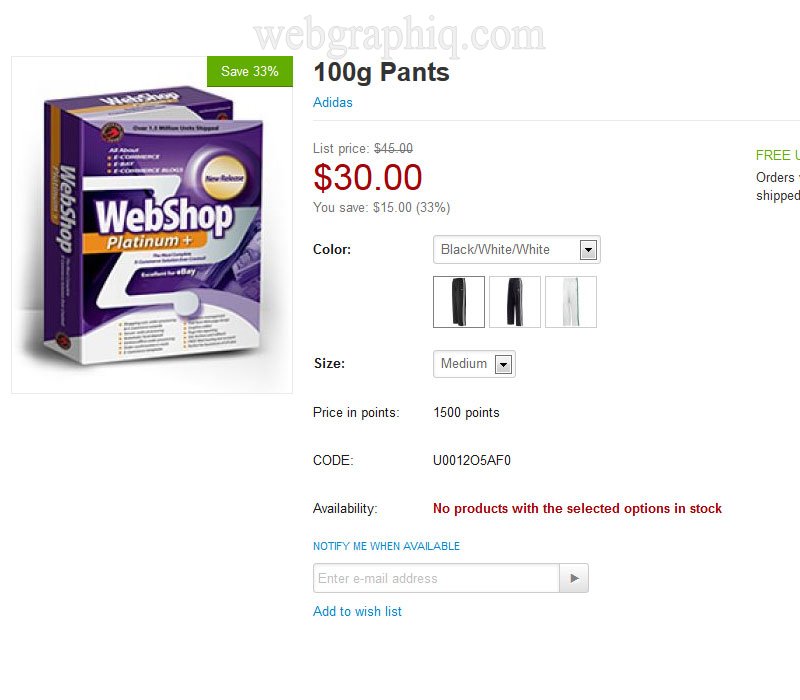
A customer is browsing your store and comes across a product that want, but it appears to be out of stock. If the Product Quantity is "0" the button "Notify me when available" will be displayed on the Product details page (and optionally on the Product categories list, Search results pages - you have the ability to enable or disable on the admin panel) and the Add to cart button will be hidden. If the customer clicks on the "Notify me when available" button a drop down form will appear where the email address can be entered and the subscription request can be sent. If the customer is logged the email field will be completed automatically.
Registration not required!
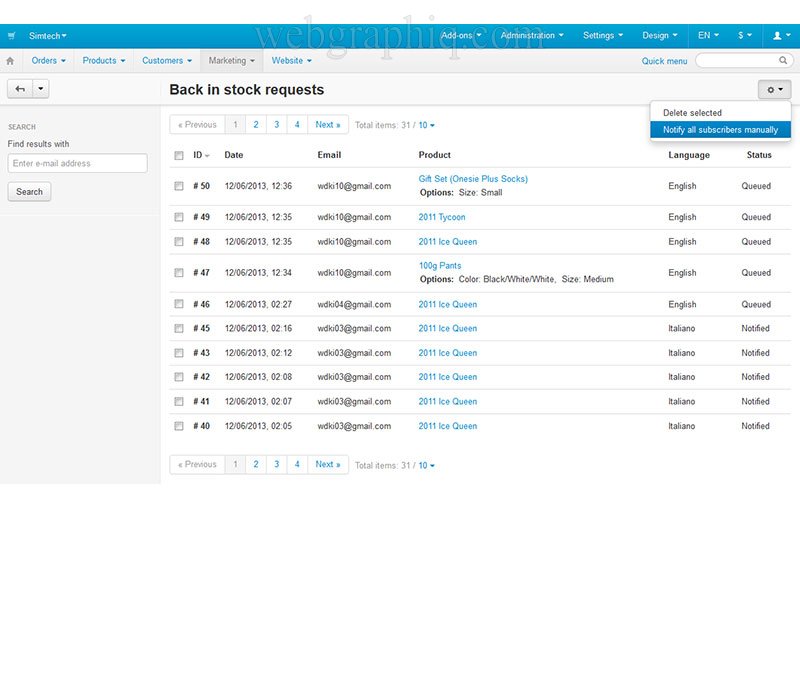
The store administrators can track the requests under Back in stock requests. The page will show the request ID, the request date, customers email, requested product (linked to the product page) and status to whether a stock update notification has been sent to the customer or not. Administrators also can delete individual or all requests.
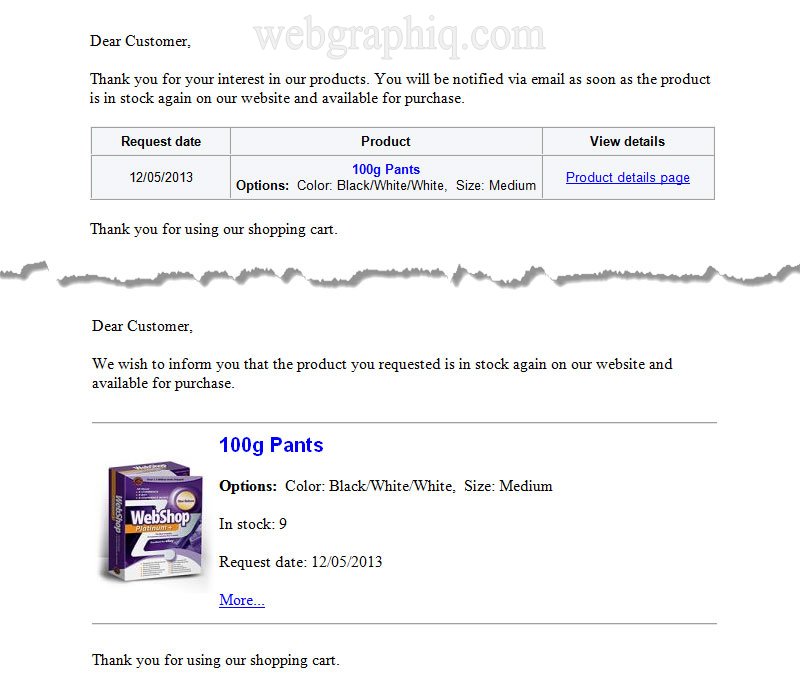
Once the product quantity is updated an email will be sent automatically to the customers informing that the product is back in stock again and available for purchase. The email includes the request date, the product title and link to the product page.
- NEW! Honeypot spam trap
- NEW! Anti-bot verification
- Opt-in subscription, can be enabled, disabled
- Sends notification email to store administrators and customer after each subscription
- Works if the product has options/variants and Track with options enabled!
- Works with product variations, CS-Cart versions from 4.10.x
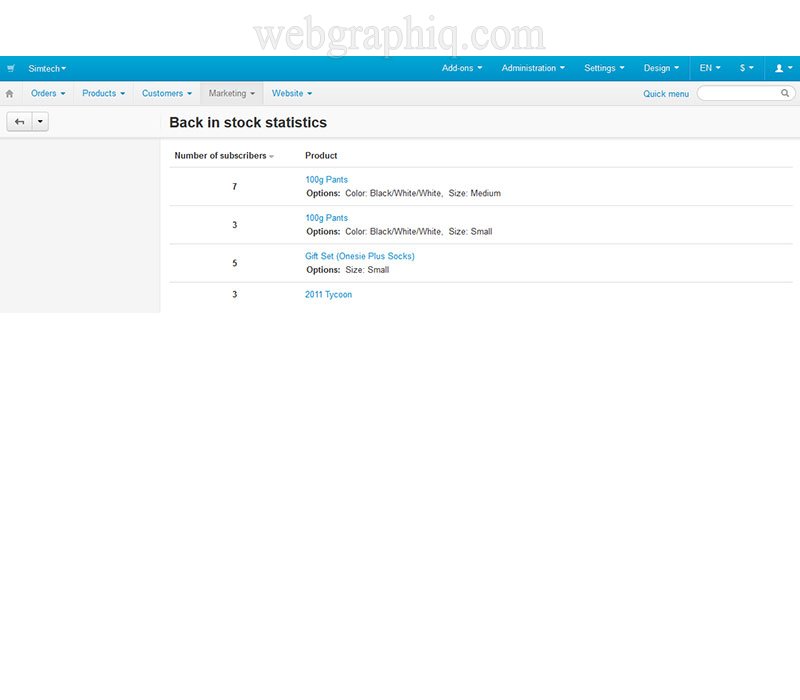
- Back in stock subscription statistics, you can follow easy the number of subscribers to each out of stock product
- Ability to send the notifications manually, useful if you are updating the inventory thru a third party addon and not from the product page
- Subscription button on the category listing page (List without options template)
- Notifications will be sent in customer's language selected on subscription
- Product thumbnail in notification emails
- Clear layout
What's opt-in subscription? A term that refers to promotional e-mails that have been requested by the individual receiving them. A new subscriber asks to be subscribed to the mailing list, but unlike unconfirmed opt-in, a confirmation email is sent to verify it was really them. Unlike spam promotional e-mails that get sent out to large lists of recipients without regard to whether or not they want the information, opt-in e-mails are only sent to people who specifically request them.
No core files changes, editing.
Easy installation, 1 click installation compatible!
Detailed installation instructions included!
Click here to see live demo.
CS-Cart: Simple Strategies for Decreasing Shopping Cart Abandonment

Please feel free to contact us if you have any questions or need more information about this product using the form below.